
Introduction
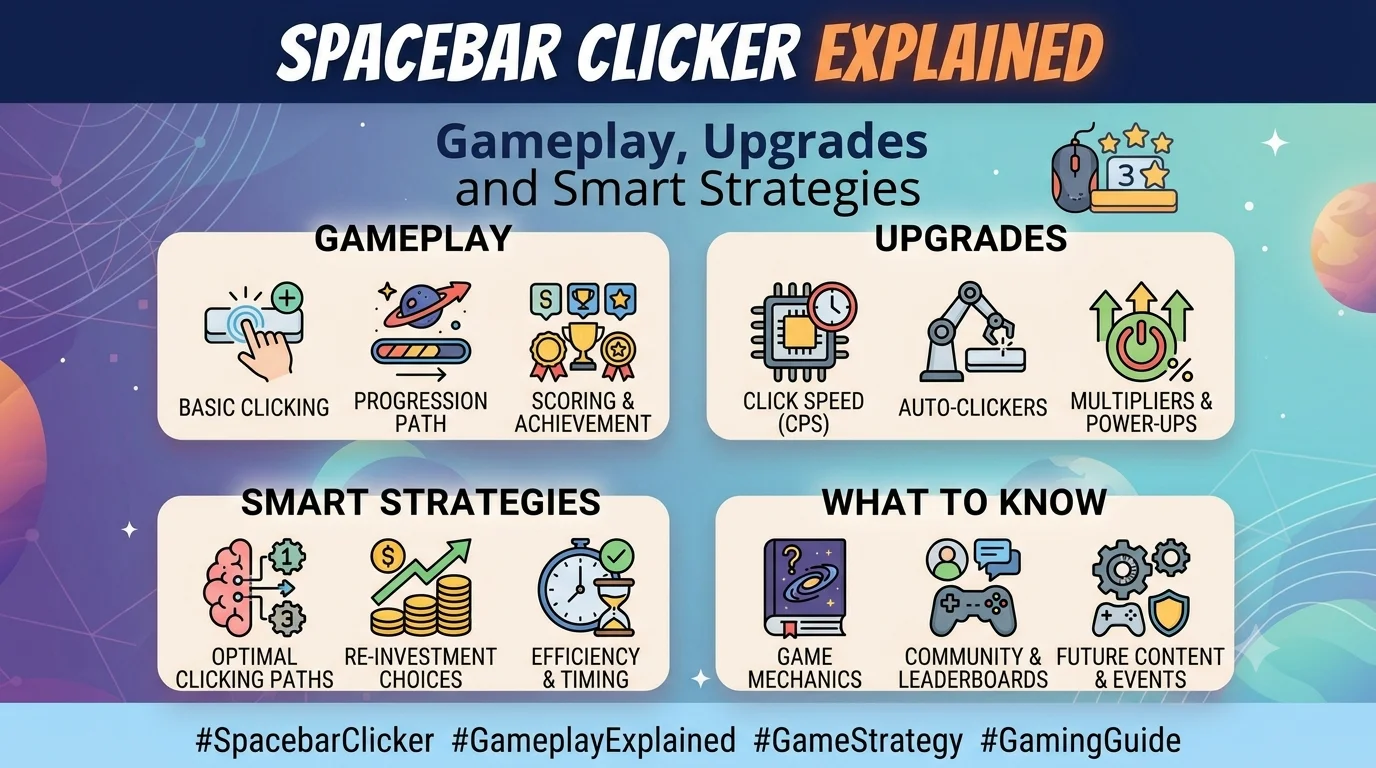
Some games require complex controls, detailed storylines and hours of practice. Spacebar Clicker takes a much simpler approach: press a button, earn points and use those points to improve your progress. This straightforward gameplay makes it easy to understand while leaving room for strategic decisions as your score grows.
However, not every game called Spacebar Clicker works in exactly the same way. The version available on Poki, for example, features automatic helpers, keyboard upgrades, critical hits, combo mode and achievements. Other developers have published similarly named games with different upgrade systems and saving options.
This guide explains how Spacebar Clicker works, how to get started, which upgrades to consider and how to build a more effective playing strategy. It also covers mobile controls, saved progress, common mistakes and frequently asked questions.
Whether you are discovering clicker games for the first time or looking for ways to improve your existing run, understanding the game’s progression system can make each session more rewarding.
Quick Answer: What Is Spacebar Clicker?
Spacebar Clicker is a browser-based idle or incremental game in which players repeatedly press the spacebar or click an on-screen button to earn points. Those points can be spent on upgrades and automated helpers, allowing the score to grow more quickly over time.
| Feature | Details |
|---|---|
| Game type | Idle, incremental and clicker |
| Main objective | Earn points and increase production |
| Desktop controls | Spacebar or mouse |
| Mobile controls | Tap the on-screen button |
| Progression | Points, upgrades and automatic helpers |
| Additional mechanics | Critical hits, combo mode and achievements in the Poki version |
| Suitable for | Casual players and fans of incremental games |
| Cost | The Poki version is listed as free to play |
| Developer of the Poki version | Bruno Croci |
Features can differ between versions, so check the specific game you are playing.
1. What Is Spacebar Clicker?
Spacebar Clicker belongs to a category of games often called clicker games, idle games or incremental games. These games revolve around a repeating cycle: perform a simple action, collect a resource and invest that resource in improvements.
In Spacebar Clicker, the primary action is pressing the spacebar or activating its on-screen equivalent. Each successful press adds points to your score. As your balance increases, you can purchase upgrades that make future presses more valuable or generate points automatically.
The basic concept is easy to learn. Nevertheless, the progression system creates a reason to keep playing because each upgrade can make the next milestone easier to reach.
Who Created Spacebar Clicker?
The version featured on Poki credits Bruno Croci as its developer. Poki’s game description states that the project was first created in 2021 for js13kGames, a game-development competition. Its current Poki listing includes additional progression features and identifies the game as an idle title.
You can explore the version directly through the Spacebar Clicker page on Poki.
It is worth distinguishing this game from other projects with similar names. Independent developers have released their own spacebar-clicking games, and their controls, upgrades, achievements and save systems may not match the Poki version.
2. How to Play Spacebar Clicker
Getting started requires very little preparation. Once the game has loaded, you can begin earning points immediately.
Step 1: Start Pressing the Spacebar
On a desktop computer, press the spacebar to activate the game’s main control. You can also click the on-screen button with your mouse.
Every successful action contributes to your score according to the rules of that version. At the beginning, progress may feel slow because you have few upgrades and little automated production.
Keep going until you have enough points to purchase your first improvement.
Step 2: Build Your Initial Score
Your first objective is to accumulate enough points to unlock useful upgrades or helpers.
During this stage, active clicking is important because you have not yet developed a strong automated system. Try to understand the interface and notice how much each action contributes to your balance.
Rather than purchasing an upgrade without checking its effect, compare its price with the benefit it provides.
Step 3: Purchase Upgrades
Once you have enough points, inspect the available improvements.
Some upgrades increase the value of manual presses, while others improve the chances or rewards associated with special hits. In versions with automatic helpers, you can also invest in tools that generate points without requiring constant input.
The best purchase depends on your current score, the upgrade price and how you prefer to play.
Step 4: Unlock Automatic Helpers
The Poki version includes helpers that generate points automatically. These become increasingly powerful as you unlock more expensive options.
At first, the extra production may seem modest. However, multiple helpers can increase your total output considerably, reducing the amount of manual clicking required.
Step 5: Keep Improving Your Production
After unlocking several upgrades, continue balancing your spending with your earning potential.
You do not need to purchase every item immediately. Instead, look for improvements that offer meaningful progress towards your next milestone.
The main goal is to make each round of earning points more efficient than the previous one.
3. How the Scoring System Works
The scoring system is the foundation of Spacebar Clicker. Understanding its main components helps you decide where to spend your points.
Manual Clicking
Manual clicking means pressing the spacebar or using the mouse to activate the on-screen control.
This method is particularly useful during the opening stages, when you have not yet unlocked powerful helpers. It also remains relevant if you have purchased upgrades that increase the value of each press.
Automatic Point Generation
Automated helpers produce points over time. This changes the game from a task requiring constant interaction into a progression system that can continue generating points while you focus on other activities within the game.
In the Poki version, different helpers operate at different rates and have different prices. More powerful options generally require a larger investment.
Before purchasing one, examine its listed output and cost.
Critical Hits
The Poki version offers critical-hit upgrades. These affect the chance of receiving a special press and the additional points awarded when one occurs.
A critical-hit upgrade can improve manual clicking efficiency, although its usefulness depends on your current setup and how frequently you actively press the button.
Combo Mode
Combo mode is another feature in the Poki version. According to the game’s description, it can multiply the score earned from each click by 10 for a short period, followed by a cooldown.
This creates an opportunity to earn more points during a limited window. However, the exact activation rules and timing should be checked in the version you are playing.
Achievements
Achievements provide milestones beyond the main score.
The Poki version advertises more than 120 achievements. These give players additional objectives as they accumulate points, purchase helpers and improve their keyboard.
Other versions may include fewer achievements or use an entirely different system.
4. Best Upgrades to Consider
Upgrades are important because they determine how quickly your score can grow. Instead of treating every purchase equally, consider the role each improvement plays in your overall strategy.
Keyboard Upgrades
In the Poki version, the keyboard upgrade doubles the points earned per manual press. This can make active clicking more valuable, particularly when you are still building your automated production.
Consider this upgrade when you regularly click and want to improve the return from each action.
Critical-Hit Chance
This upgrade increases the probability of receiving a critical hit.
Its value depends on the number of presses you make and the bonus awarded by a critical hit. If you spend a long time clicking manually, improving the chance of a bonus may be worthwhile.
However, it is not automatically the best purchase in every situation.
Critical-Hit Multiplier
Critical-hit multiplier upgrades increase the reward associated with successful critical hits.
They are most relevant when your strategy makes effective use of manual presses and critical-hit mechanics. Compare their cost with other available options before committing your points.
Automatic Helpers
Automatic helpers are useful when you want to increase production without pressing the spacebar continuously.
The Poki version includes several helper types with different production rates. More expensive options can generate points much faster, but they also require a larger balance before you can purchase them.
An effective approach is to choose helpers that you can afford without delaying every other useful upgrade.
Which Upgrade Should You Buy First?
There is no universal purchase order that works for every version or every stage of play. A practical starting strategy is:
- Build enough points to unlock an affordable improvement.
- Increase manual clicking value if you are actively pressing the button.
- Purchase an automatic helper when its output justifies the cost.
- Reassess your available upgrades after your production increases.
- Invest in critical-hit mechanics when they fit your play style.
This approach keeps your decisions connected to your current needs instead of following a rigid sequence.
5. Tips to Earn Points Faster
A few simple habits can make your progression more efficient.
Focus on the Value of Each Purchase
Before buying an upgrade, ask what it will improve and how quickly that improvement might help you earn back the cost.
A low-priced upgrade is not necessarily better than an expensive one. Likewise, the most powerful item may not be the best choice if purchasing it leaves you unable to make other useful improvements.
Balance Active Clicking With Automation
Manual clicking is useful when each press provides a meaningful return. Automatic helpers become increasingly valuable when you want points to accumulate without constant input.
Rather than relying exclusively on one method, consider how the two systems complement each other.
Use Combo Opportunities Wisely
If your version includes combo mode, pay attention to its activation and cooldown rules.
A temporary multiplier is most useful when you can take advantage of the bonus during its active period. Read the in-game instructions so you understand when it activates and how long it lasts.
Do not assume that every similarly named version uses the same mechanic.
Review Your Available Upgrades Regularly
As your score increases, previously expensive options may become affordable.
Take a moment to review the upgrade menu instead of continuing to click without checking your progress. A single well-chosen improvement may provide more value than a long stretch of unplanned clicking.
Set Small Milestones
Large totals can make progress difficult to measure. Breaking the game into smaller objectives creates clearer targets.
For example, you might aim to purchase your next helper, unlock a keyboard upgrade or complete a particular achievement. Once you reach that target, choose the next one.
This method makes each session easier to manage.
Take Breaks During Longer Sessions
Spacebar Clicker is designed around repetition, but there is no need to press the key continuously for extended periods.
Regular breaks can reduce discomfort and help you avoid unnecessary strain. If clicking or pressing causes pain, stop and rest rather than pushing through it.
6. Common Mistakes to Avoid
Even a simple game can become less efficient when players overlook its progression mechanics.
Spending Every Point Immediately
Buying an upgrade as soon as it becomes available may feel satisfying. However, some purchases can delay a more useful improvement.
Check the options before spending your entire balance. Keep your next milestone in mind.
Ignoring Automated Production
If your version offers automatic helpers, relying entirely on manual clicking may limit your progress.
Once you can afford a suitable helper, consider whether it will improve your production enough to justify the investment.
Buying Expensive Upgrades Without Comparing Them
The most expensive option is not always the most efficient choice for your current stage.
Compare the displayed cost and benefit. If the game shows production rates, use them to make a more informed decision.
Assuming Every Version Works the Same Way
This is a particularly common source of confusion.
Some Spacebar Clicker versions focus on idle progression, while others emphasise upgrades, statistics, achievements or timed clicking. Guides written for one version may therefore describe buttons or mechanics that do not exist in another.
Check the developer and platform before following version-specific instructions.
Forgetting to Check Save Settings
Some versions save automatically, while others may offer a manual save option or configurable autosave settings.
Before closing the game, check how your particular version stores progress. This is especially important if you have invested considerable time in a run.
7. Can You Play Spacebar Clicker on Mobile?
Yes. The Poki version lists desktop computers, phones and tablets among its supported devices.
On a desktop, you can use the spacebar or click the on-screen button. On a mobile device, you can tap the button directly.
This makes the game accessible even when a physical keyboard is unavailable.
Tips for Mobile Players
- Make sure the game fits comfortably on your screen.
- Tap the intended control rather than unrelated page elements.
- Check whether your version supports the same upgrades and features as its desktop counterpart.
- Avoid repeatedly tapping in a way that causes hand or finger discomfort.
- Confirm that your progress is saved before leaving the page.
The exact layout may differ between platforms. If a control is missing or appears in a different location, consult the instructions provided by the version you opened.
8. Does Spacebar Clicker Save Your Progress?
Saving behaviour depends on the specific game.
The Poki version states that progress saves automatically, allowing players to return to their game later. By contrast, a separate Spacebar Clicker project published by Just Hanys on itch.io describes an autosave option that saves every three minutes, along with a manual save control.
These are different implementations, so the details should not be treated as interchangeable.
How to Protect Your Progress
Before leaving the game:
- Check whether autosave is enabled.
- Use the manual save option if your version provides one.
- Wait for any visible saving indicator to finish.
- Avoid clearing browser data if the game stores progress locally.
- Return to the same version and platform when continuing your run.
Browser settings, private browsing and deleted website data can affect locally stored progress. If your game offers account-based saving, read its instructions to understand whether progress is linked to an account or device.
For version-specific details, consult the Poki Spacebar Clicker page or the Just Hanys development log.
9. Why Is Spacebar Clicker So Popular?
The appeal of Spacebar Clicker comes from combining simple controls with visible progress.
Easy to Understand
Players do not need to learn a complicated control scheme before starting. Pressing a button produces an immediate result, making the initial experience straightforward.
A Sense of Progression
Upgrades provide a reason to keep playing. Each purchase can change how quickly points accumulate or introduce a new target to work towards.
Flexible Play Sessions
The basic gameplay can fit into a short break. Players can make a few upgrades, check their score and return later, depending on the saving features available in their chosen version.
A Mix of Action and Planning
Although clicking is the central activity, the game also involves deciding when to spend points and which improvements to prioritise.
This combination of direct interaction and incremental progression gives the game more depth than its simple controls might initially suggest.
No Complex Setup
Browser-based versions can generally be opened directly through a supported website without installing a traditional desktop game. Availability and requirements still depend on the platform and your device.
10. Spacebar Clicker vs Spacebar Speed Tests
The phrase “spacebar clicker” can also describe tools designed to measure how quickly someone can press a key. These tools are not necessarily the same as the incremental game.
| Feature | Spacebar Clicker idle game | Spacebar speed test |
|---|---|---|
| Main goal | Grow a score through progression | Measure pressing speed |
| Typical activity | Clicking and purchasing upgrades | Pressing within a timed interval |
| Progression | Points, helpers and improvements | Click counts and speed results |
| Automation | May be a core feature | Usually not the main purpose |
| Session style | Can continue across multiple sessions | Often lasts a fixed period |
| Main skill | Upgrade choices and resource management | Consistent, rapid key presses |
If you want a game where points lead to increasingly powerful upgrades, choose an incremental version. On the other hand, if your goal is to measure how many times you can press a key within a certain period, a dedicated speed-test tool may be more appropriate.
Always check the page description before starting because websites sometimes use similar names for different experiences.
11. Final Thoughts
Spacebar Clicker shows how a simple action can support an engaging progression system. Pressing the spacebar earns points, while upgrades and automatic helpers create opportunities to increase production and reach new milestones.
The most effective approach is to understand the version you are playing, compare upgrade costs with their benefits and balance manual clicking with automation. Small goals can also make longer sessions easier to manage.
If you are new to the game, begin with the basic controls and experiment with affordable upgrades. As you become familiar with the scoring system, you can make more informed decisions about which improvements deserve your points.
Remember that similarly named versions may have different features. Check the developer’s instructions for details about combo mode, achievements, controls and saving progress.
Ultimately, Spacebar Clicker is a straightforward game about turning repeated actions into steady progress. A little planning can make the experience more rewarding without making the gameplay unnecessarily complicated.
What is Spacebar Clicker?
Spacebar Clicker is a clicker or idle game where players press the spacebar or click an on-screen control to earn points. Those points can be spent on upgrades and, in some versions, automatic helpers.
How do you play Spacebar Clicker?
Open a version of the game, press the spacebar or click the main button, collect points and purchase available upgrades. Continue improving your production to reach higher scores.
Is Spacebar Clicker free?
The Poki version is listed as free to play. Other websites may have different terms, so check the platform before using a separate version.
Who created Spacebar Clicker?
Poki credits Bruno Croci as the developer of its Spacebar Clicker version and states that the original project was created for the js13kGames competition in 2021.
Can I play Spacebar Clicker without a keyboard?
Yes. The Poki version supports clicking the on-screen button with a mouse or tapping it on a mobile device. Other versions may offer different controls.